How To Clone Repository
In this tutorial we will learn about how to clone a GitHub repository to your local machine.
What is Cloning?
Cloning a repository means creating a local copy of a remote repository on your computer. This allows you to work on the project locally, make changes, and sync them back to the remote repository.
Prerequisites
Before cloning a repository, make sure you have:
- Git installed on your computer
- A GitHub account (optional, for private repositories)
- The repository URL you want to clone
Steps to Clone a Repository
Step 1: Get the Repository URL
-
Go to the repository you want to clone.
-
Click on the green "Code" button and copy the HTTPS URL.
https://github.com/sanjay-kv/Learn-GitHub.git
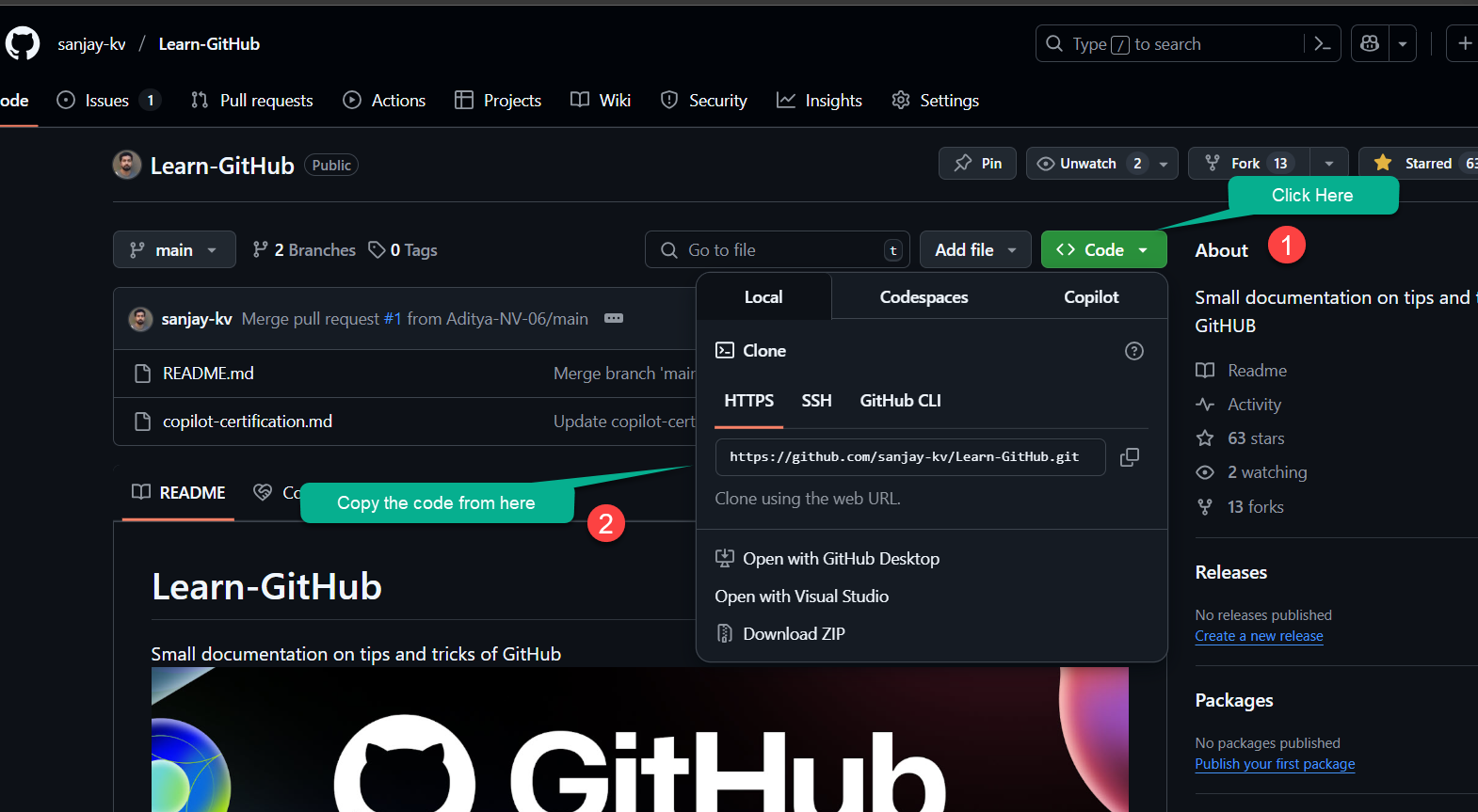
Step 2: Open Command Line/Terminal
Open your command prompt (Windows) or terminal (Mac/Linux) and navigate to the directory where you want to clone the repository.
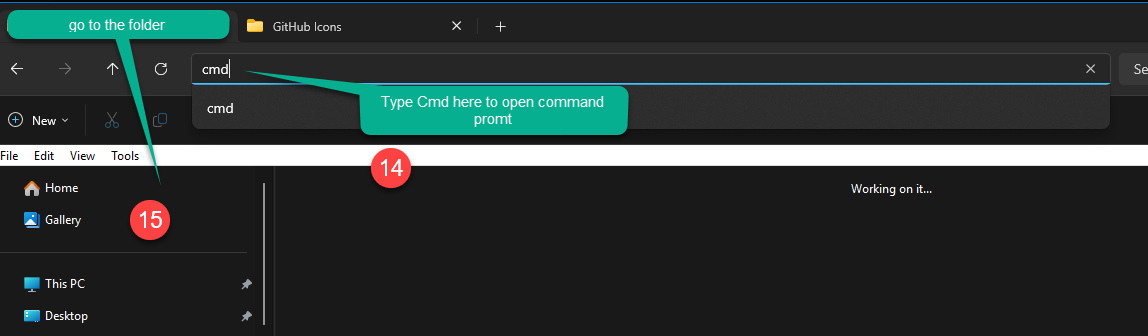
Step 3: Run the Clone Command
Use the git clone command followed by the repository URL:
git clone https://github.com/sanjay-kv/Learn-GitHub.git
This command will:
- Create a new directory with the repository name
- Download all files and commit history
- Set up the remote connection automatically
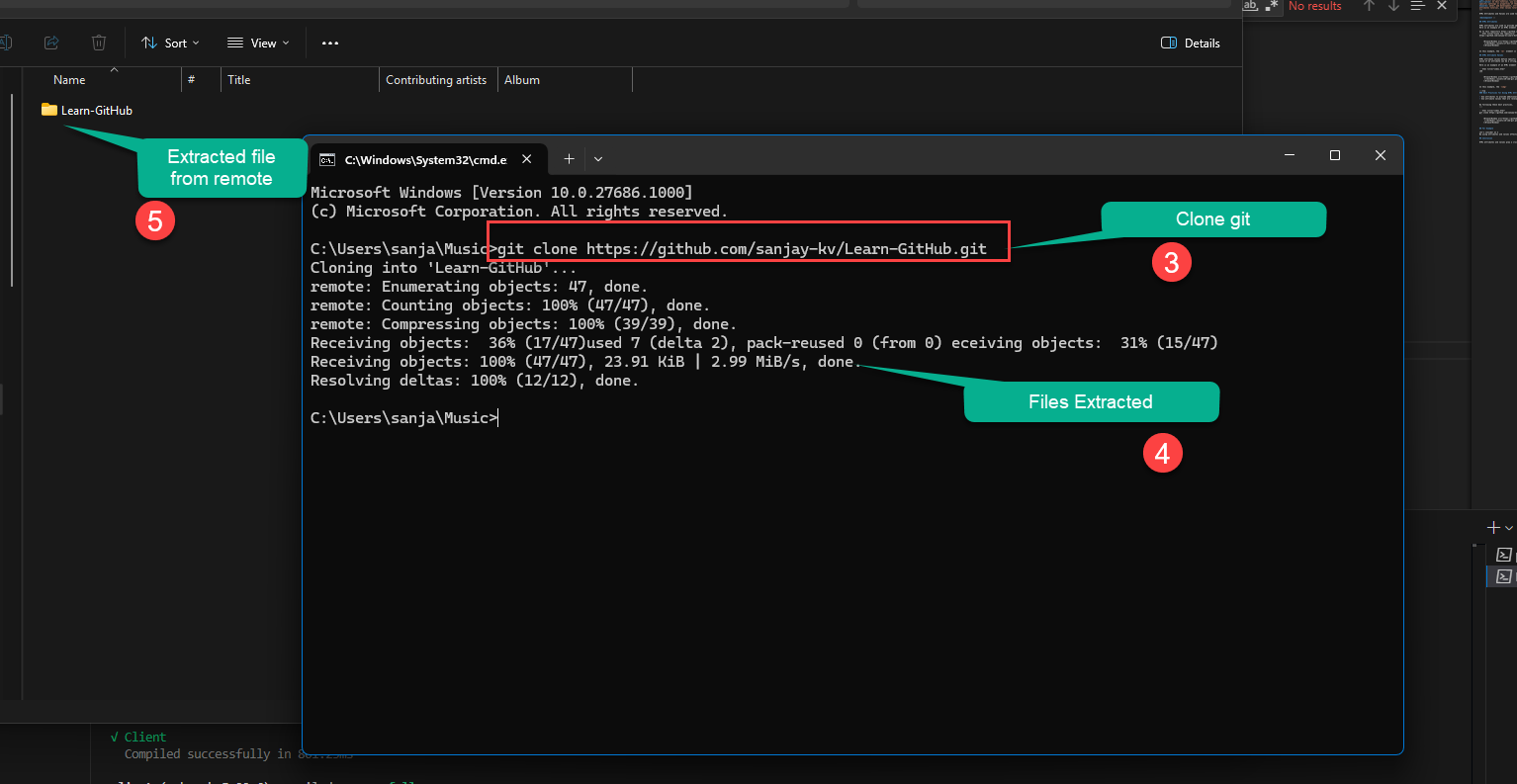
Step 4: Navigate to the Cloned Repository
After cloning, navigate into the newly created directory:
cd Learn-GitHub
Cloning Options
Clone with SSH
If you have SSH keys set up with GitHub:
git clone git@github.com:sanjay-kv/Learn-GitHub.git
Clone to a Specific Directory
To clone into a custom directory name:
git clone https://github.com/sanjay-kv/Learn-GitHub.git my-custom-folder
Clone a Specific Branch
To clone only a specific branch:
git clone -b branch-name https://github.com/sanjay-kv/Learn-GitHub.git
- Always clone repositories into organized directories
- Use SSH instead of HTTPS for repositories you frequently work with
- Verify the repository source before cloning to avoid security risks
- Check the repository's README file after cloning for setup instructions
- Keep your local clone updated with
git pullregularly
Conclusion
Cloning a repository is a fundamental Git operation that allows you to work on projects locally. By following these steps, you can easily clone any GitHub repository and start contributing to projects or working on your own code locally.