SQL LEFT JOIN (LEFT OUTER JOIN)
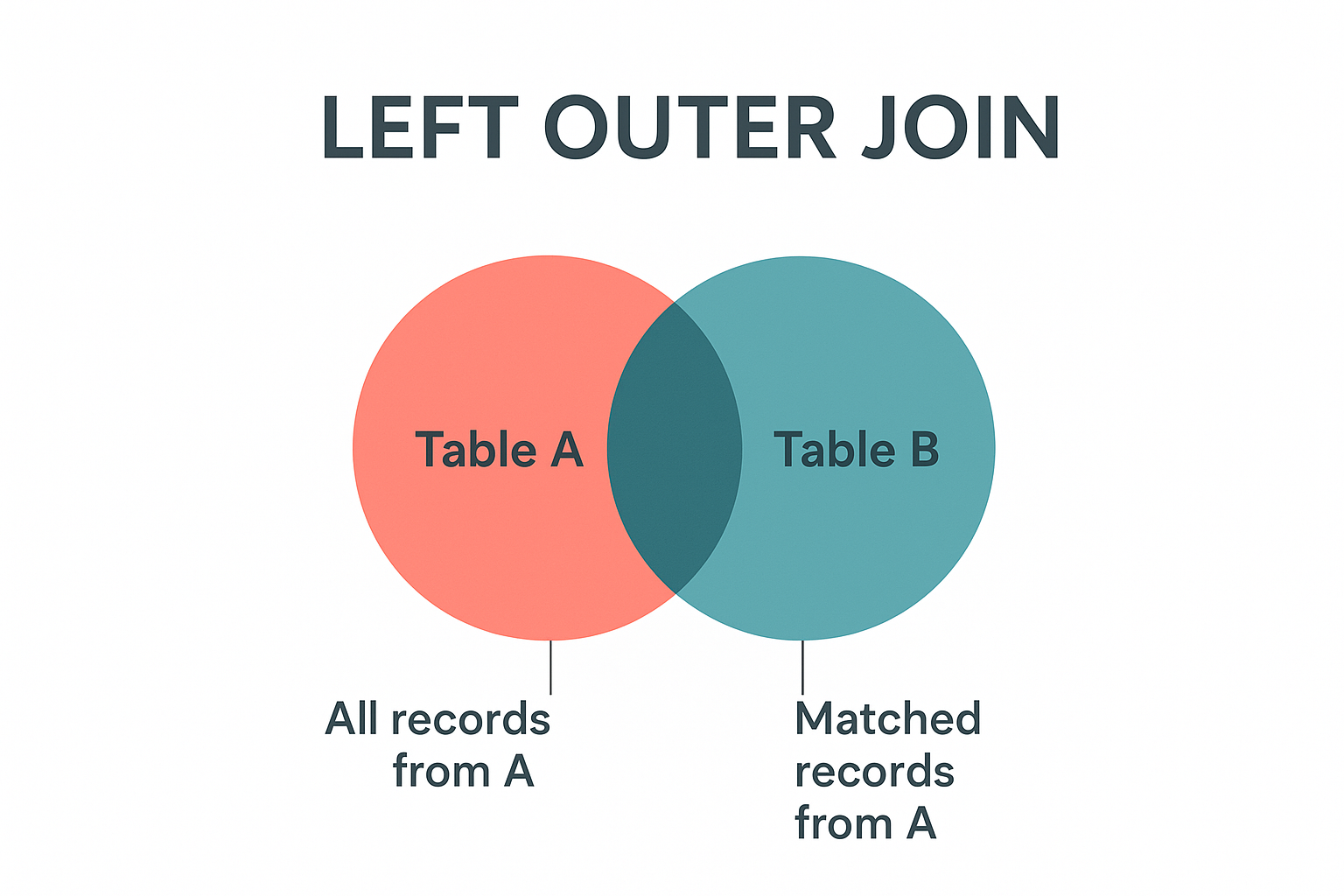
SQL LEFT JOIN (also known as LEFT OUTER JOIN) returns all records from the left (first) table and the matched records from the right (second) table. If there are no matches in the right table, the result will contain NULL values for all columns from the right table.
Key Characteristics of LEFT JOIN:
-
All Left Records: Returns every record from the left table, regardless of matches.
-
Matching Right Records: Includes matched records from the right table when available.
-
NULL for Unmatched: Shows NULL values for right table columns when no match exists.
-
Preservation: Preserves the completeness of the primary (left) table data.
When to Use LEFT JOIN:
✅ Finding Missing Relationships: Customers without orders, students without grades ✅ Complete Data Analysis: When you need all records from the primary table ✅ Optional Information: Including supplementary data that may not exist for all records ✅ Data Auditing: Identifying gaps in related data
Real-World Example: In an e-commerce system, you want to see all customers and their orders (if any). LEFT JOIN ensures you see customers who haven't placed orders yet, with NULL values in the order columns.
Basic LEFT JOIN Syntax
SELECT column1, column2, ...
FROM table1
LEFT JOIN table2
ON table1.column_name = table2.column_name;
| Component | Purpose | Example |
|---|---|---|
| SELECT | Choose columns to display | SELECT c.name, o.total |
| FROM | Primary (left) table | FROM customers c |
| LEFT JOIN | Secondary (right) table | LEFT JOIN orders o |
| ON | Join condition | ON c.customer_id = o.customer_id |
Alternative Syntax
-- LEFT OUTER JOIN (same as LEFT JOIN)
SELECT c.name, o.total
FROM customers c
LEFT OUTER JOIN orders o ON c.customer_id = o.customer_id;

-- With table aliases (recommended)
SELECT c.name, COALESCE(o.total, 0) as order_total
FROM customers c
LEFT JOIN orders o ON c.customer_id = o.customer_id;
Practical Examples
- Basic Example
- Finding Missing Data
- With Aggregation
- Multiple LEFT JOINs
- Date Range Analysis
- Sample Output
-- Get all customers and their orders (including customers with no orders)
SELECT
    c.customer_id,
    c.customer_name,
    c.email,
    c.registration_date,
    o.order_id,
    o.order_date,
    o.total_amount
FROM customers c
LEFT JOIN orders o ON c.customer_id = o.customer_id
ORDER BY c.customer_name, o.order_date;

-- Result: All customers, with NULL values for customers without orders
-- Find customers who haven't placed any orders
SELECT
    c.customer_id,
    c.customer_name,
    c.email,
    c.registration_date,
    'No orders placed' AS status
FROM customers c
LEFT JOIN orders o ON c.customer_id = o.customer_id
WHERE o.order_id IS NULL
ORDER BY c.registration_date DESC;

-- Useful for marketing campaigns targeting inactive customers
-- Get customer statistics including those with zero orders
SELECT
    c.customer_id,
    c.customer_name,
    c.registration_date,
    COUNT(o.order_id) AS total_orders,
    COALESCE(SUM(o.total_amount), 0) AS total_spent,
    CASE
        WHEN COUNT(o.order_id) = 0 THEN 'Inactive'
        WHEN COUNT(o.order_id) < 3 THEN 'Low Activity'
        ELSE 'Active'
    END AS customer_segment
FROM customers c
LEFT JOIN orders o ON c.customer_id = o.customer_id
GROUP BY c.customer_id, c.customer_name, c.registration_date
ORDER BY total_spent DESC;
-- Get complete customer profile with optional data
SELECT
    c.customer_name,
    c.email,
    a.street_address,
    a.city,
    a.country,
    p.phone_number,
    COUNT(o.order_id) AS order_count,
    MAX(o.order_date) AS last_order_date
FROM customers c
LEFT JOIN addresses a ON c.customer_id = a.customer_id
LEFT JOIN phone_numbers p ON c.customer_id = p.customer_id
LEFT JOIN orders o ON c.customer_id = o.customer_id
GROUP BY c.customer_id, c.customer_name, c.email,
         a.street_address, a.city, a.country, p.phone_number
ORDER BY c.customer_name;
-- Analyze customer activity over specific periods
SELECT
    c.customer_name,
    c.registration_date,
    COUNT(o.order_id) AS orders_this_year,
    COALESCE(SUM(o.total_amount), 0) AS revenue_this_year,
    CASE
        WHEN MAX(o.order_date) >= DATE_SUB(CURRENT_DATE, INTERVAL 30 DAY)
        THEN 'Recently Active'
        WHEN MAX(o.order_date) IS NOT NULL
        THEN 'Previously Active'
        ELSE 'Never Purchased'
    END AS activity_status
FROM customers c
LEFT JOIN orders o ON c.customer_id = o.customer_id
                   AND o.order_date >= '2024-01-01'
WHERE c.registration_date >= '2023-01-01'
GROUP BY c.customer_id, c.customer_name, c.registration_date
ORDER BY revenue_this_year DESC;
-- Sample result showing all customers including those without orders:

customer_id | customer_name | email              | order_id | order_date | total_amount
------------|---------------|-------------------|----------|------------|-------------
1           | John Smith    | john@email.com    | 101      | 2024-01-15 | 299.99
1           | John Smith    | john@email.com    | 105      | 2024-02-20 | 149.50
2           | Jane Doe      | jane@email.com    | 102      | 2024-01-18 | 89.99
3           | Bob Wilson    | bob@email.com     | NULL     | NULL       | NULL
4           | Alice Brown   | alice@email.com   | 104      | 2024-02-01 | 199.00
5           | Mike Davis    | mike@email.com    | NULL     | NULL       | NULL

-- Note: Bob Wilson and Mike Davis have no orders (NULL values)
-- But they still appear in the result set
Handling NULL Values
Working with NULLs in LEFT JOIN:
- Use CASE Statements for Complex Logic:
SELECTc.customer_name,CASEWHEN o.order_id IS NULL THEN 'No orders'WHEN o.total_amount > 1000 THEN 'High value customer'ELSE 'Regular customer'END AS customer_typeFROM customers cLEFT JOIN orders o ON c.customer_id = o.customer_id;
- Filter for NULL or NOT NULL:
-- Customers without ordersSELECT c.* FROM customers cLEFT JOIN orders o ON c.customer_id = o.customer_idWHERE o.order_id IS NULL;-- Customers with ordersSELECT c.* FROM customers cLEFT JOIN orders o ON c.customer_id = o.customer_idWHERE o.order_id IS NOT NULL;
Common Use Cases & Business Applications
📊 Customer Analysis
-- Customer segmentation based on purchase behavior
SELECT
    CASE
        WHEN COUNT(o.order_id) = 0 THEN 'New/Inactive'
        WHEN SUM(o.total_amount) > 5000 THEN 'VIP'
        WHEN COUNT(o.order_id) > 10 THEN 'Frequent'
        ELSE 'Regular'
    END AS segment,
    COUNT(*) AS customer_count
FROM customers c
LEFT JOIN orders o ON c.customer_id = o.customer_id
GROUP BY segment;
📈 Performance Reporting
-- Monthly sales report including all months
SELECT
    m.month_name,
    COALESCE(SUM(s.sales_amount), 0) AS total_sales,
    COUNT(s.sale_id) AS transaction_count
FROM months_reference m
LEFT JOIN sales s ON m.month_number = MONTH(s.sale_date)
                 AND YEAR(s.sale_date) = 2024
GROUP BY m.month_number, m.month_name
ORDER BY m.month_number;
🎯 Marketing Insights
-- Email campaign effectiveness
SELECT
    c.customer_segment,
    COUNT(c.customer_id) AS total_customers,
    COUNT(r.response_id) AS responses,
    ROUND(COUNT(r.response_id) * 100.0 / COUNT(c.customer_id), 2) AS response_rate
FROM customers c
LEFT JOIN campaign_responses r ON c.customer_id = r.customer_id
                                AND r.campaign_id = 'SPRING2024'
GROUP BY c.customer_segment;
Performance Considerations
LEFT JOIN Performance Tips:
- Index Join Columns: Ensure both tables have indexes on join columns
- Limit Result Sets: Use WHERE clauses to filter the left table when possible
- Consider EXISTS: For existence checks, sometimes EXISTS is more efficient than LEFT JOIN
- Avoid SELECT *: Only select columns you need to reduce memory usage
- Filter NULLs Early: If you don't need unmatched records, consider using INNER JOIN instead
-- More efficient: Filter left table first
SELECT c.name, o.total
FROM customers c
LEFT JOIN orders o ON c.customer_id = o.customer_id
WHERE c.status = 'Active'  -- Filter before joining
  AND c.registration_date >= '2023-01-01';
Conclusion
LEFT JOIN is essential for comprehensive data analysis where you need to preserve all records from your primary table while including related information when available. It's particularly valuable for identifying gaps in data, customer analysis, and creating complete reports that account for all entities, not just those with relationships.