Google Gemini AI Pro Plan - Free One-Year Offer for Indian Students
Google is offering an exclusive free one-year subscription to the Gemini AI Pro Plan for Indian students aged 18 and above. This advanced AI tool assists with academic tasks such as smart note-taking, writing enhancement, exam preparation, deep research, essay management, and homework efficiency. The plan also includes 2TB of cloud storage integrated with Gmail Drive and Google Photos, ensuring ample space for academic and personal data.
Highlights
- 🎓 Free access to Gemini AI Pro Plan for Indian students (18+ years).
- 📚 AI tools assist with homework, exams, notes, essays, and research.
- ☁️ Includes 2TB cloud storage with Gmail Drive and Photos integration.
- ✅ Eligibility: Enrolled in higher education, age 18+, and use of official student email.
- 🔄 Verification via refundable ₹2 charge using student email.
- 🚀 Access to Google Flow AI with 1000 free creative video credits.
- ⏳ One-year free trial; ₹1950/year subscription after trial unless canceled.
How to get started
Step 1: Head into the official Google student ambassdor website. Then click on avail button, which will redirect you to the official gemini website.
Step 2: This is the Google Gemini page for student offer, note this offer is only for 1 year and you need to sign up before 15 Sept 2025.
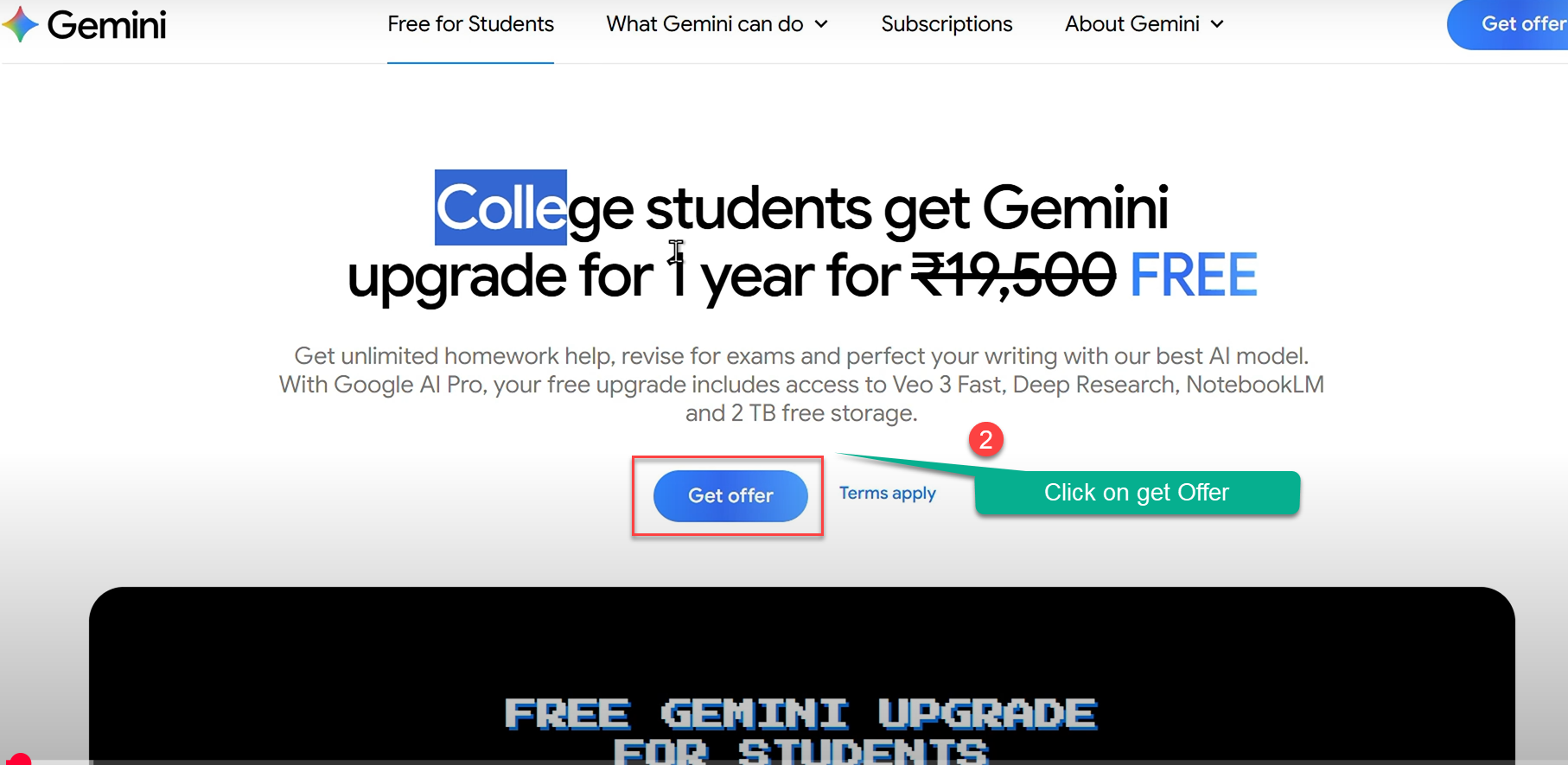
🛡️ Strict Eligibility and Verification
Using official student emails and verification ensures genuine access and maintains program integrity.
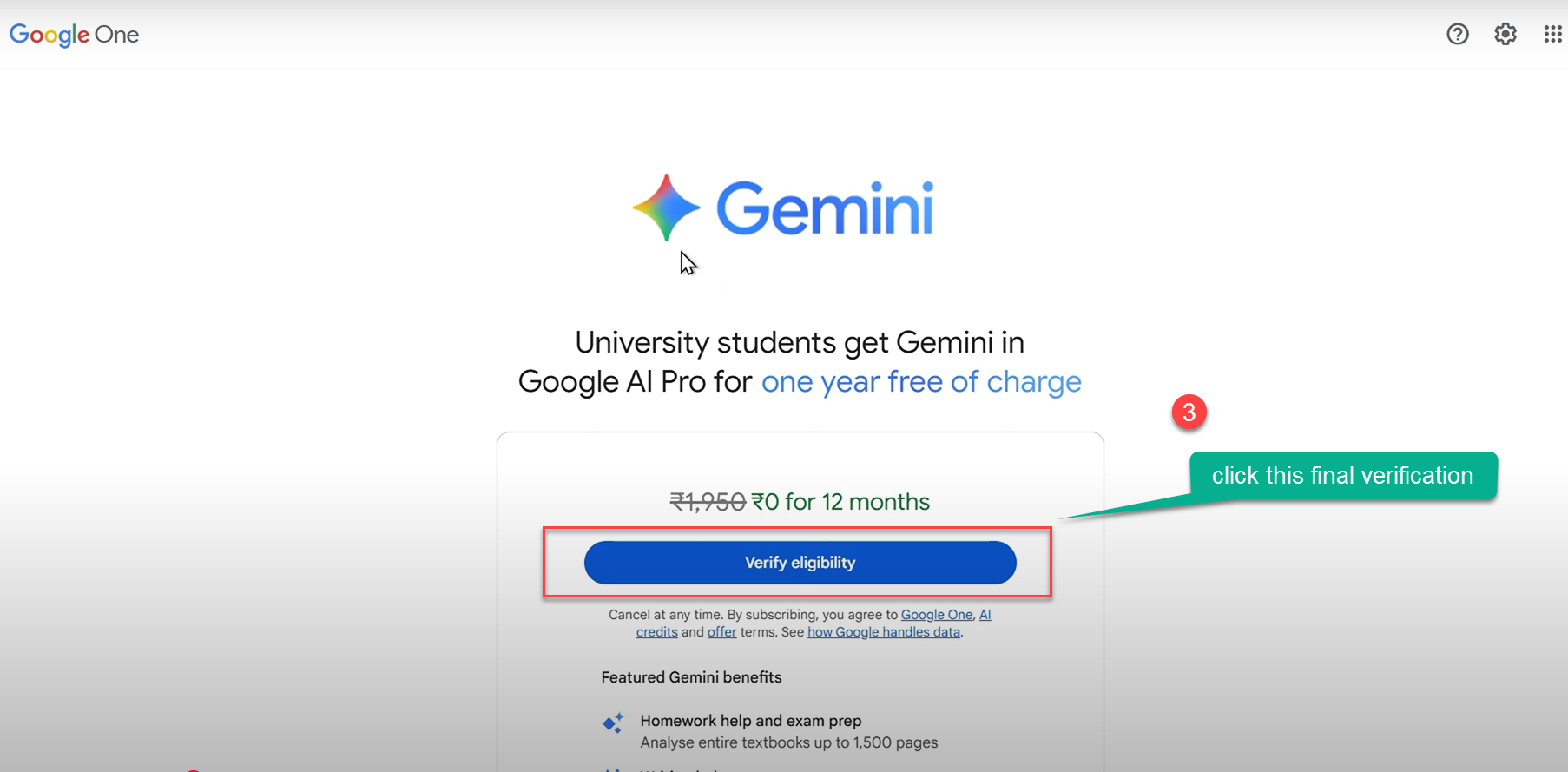
Step 3: This is the page to verify your identity, you will be redirected to sheer ID a 3rd party app which verify your student details.
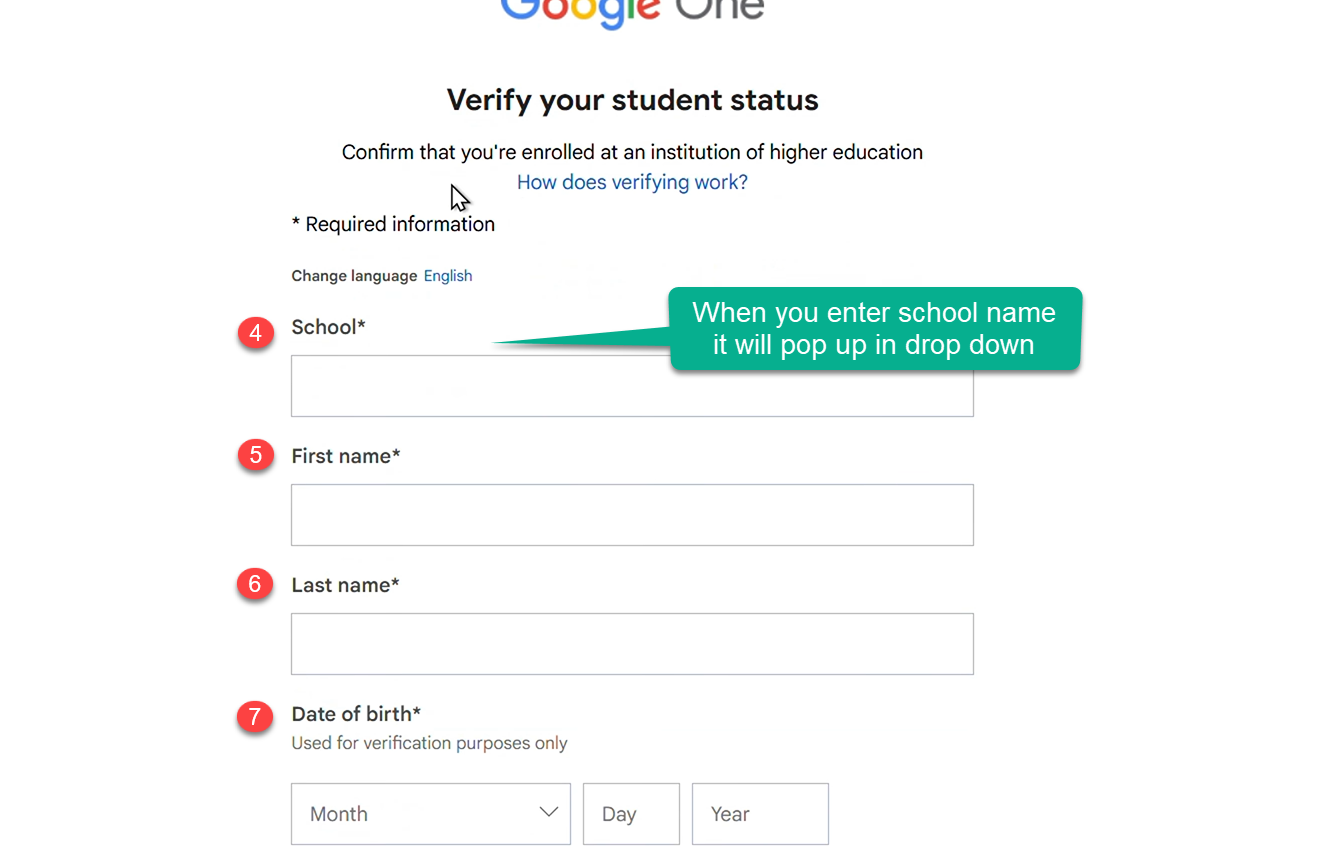
Step 3: This section will ask more details about your DOB, name, Insititution details, make sure you enter proper details.
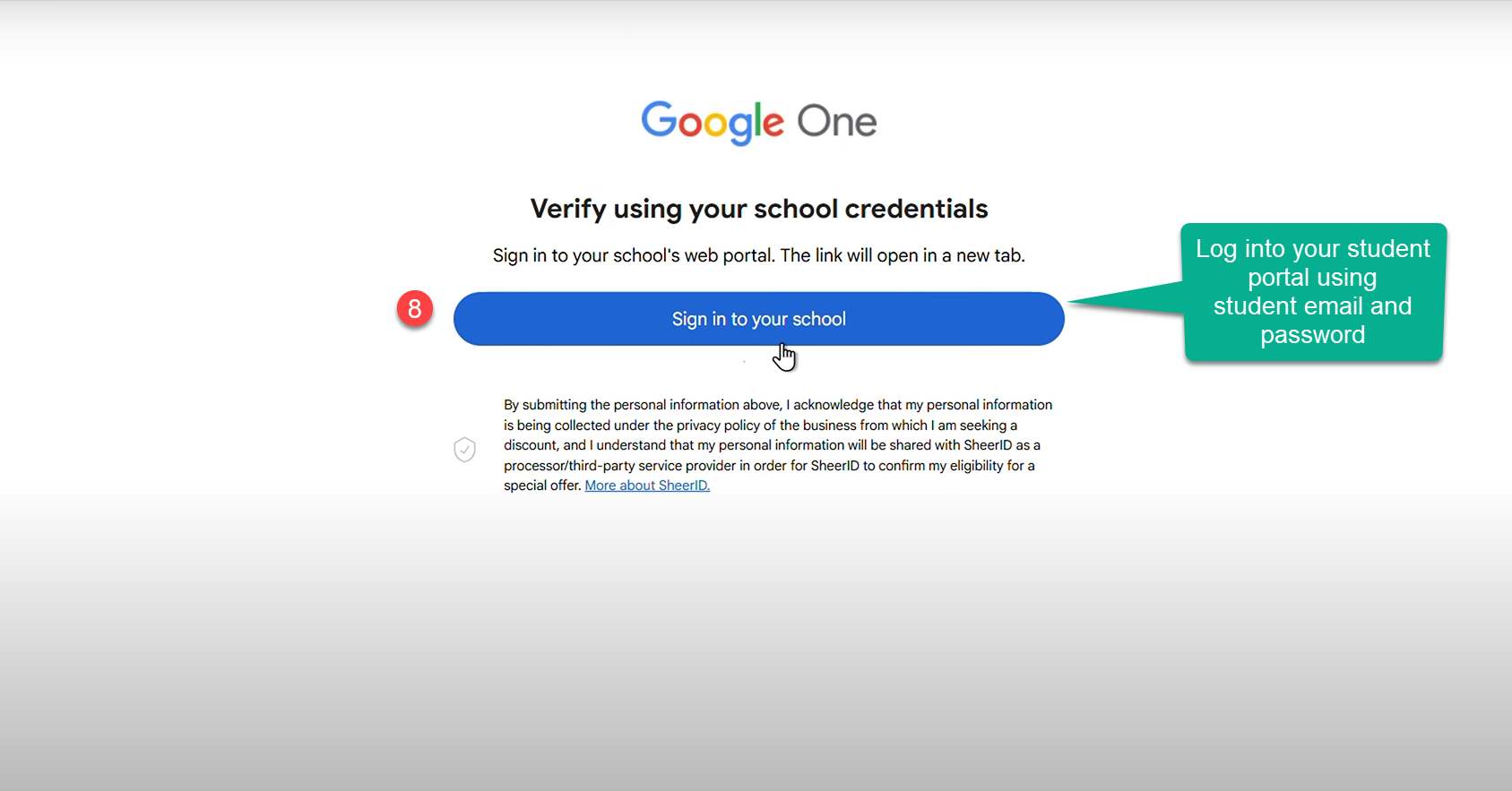
Step 4: This is next step which take you to your school portal or account, so you need to sign in with Student email and password.
Step 5: Sign in with Google
-
In most cases, it will redirect you to log in with your Gmail account.
-
Important: Use your university-issued email address (e.g.,
@mgcub.ac.in).https://gemini.google/students/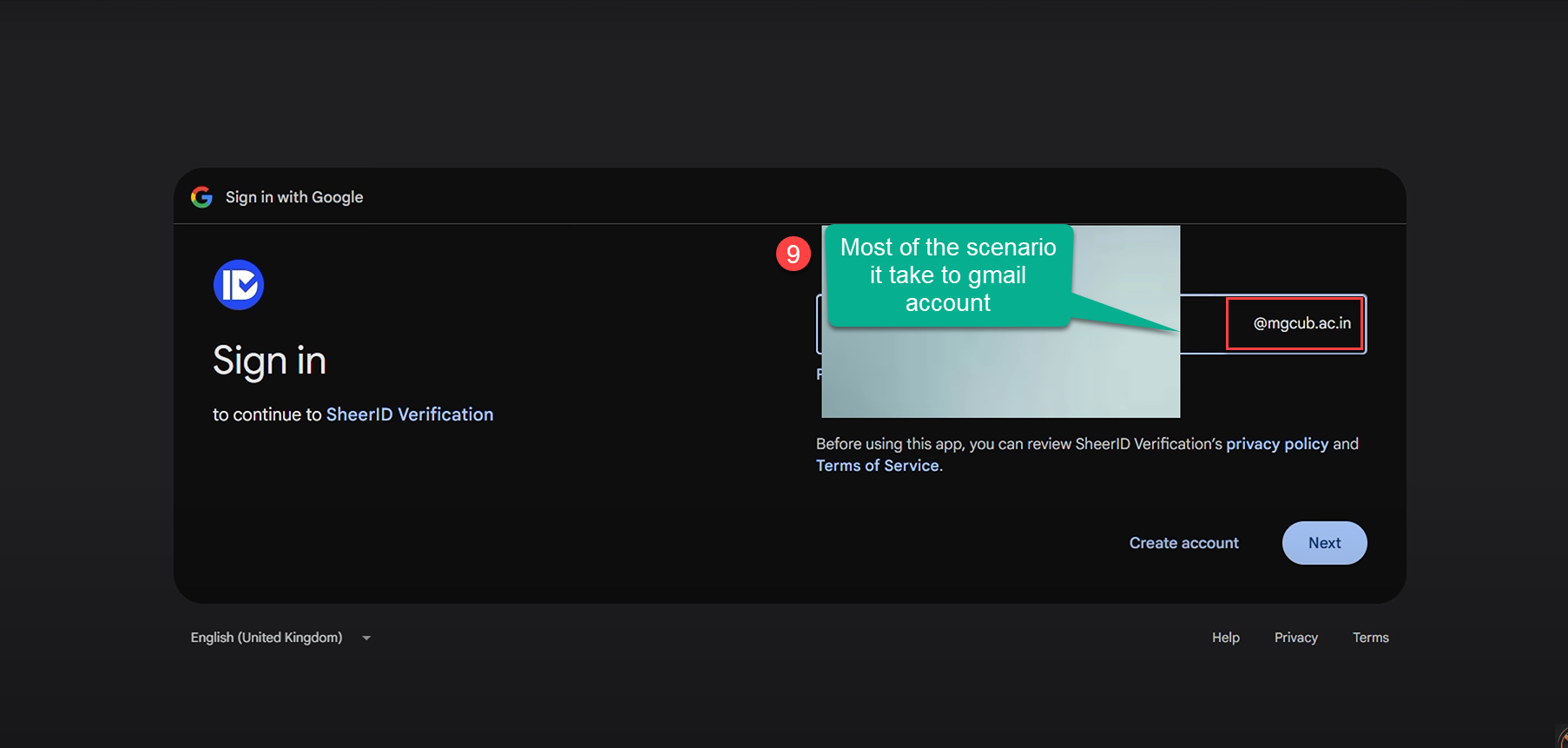
Note: For some of you, the school details wont be available in drop down so type **other Check the down this Tutorial to see further steps. (If you school is not listed)
Step 6: SheerID Verification
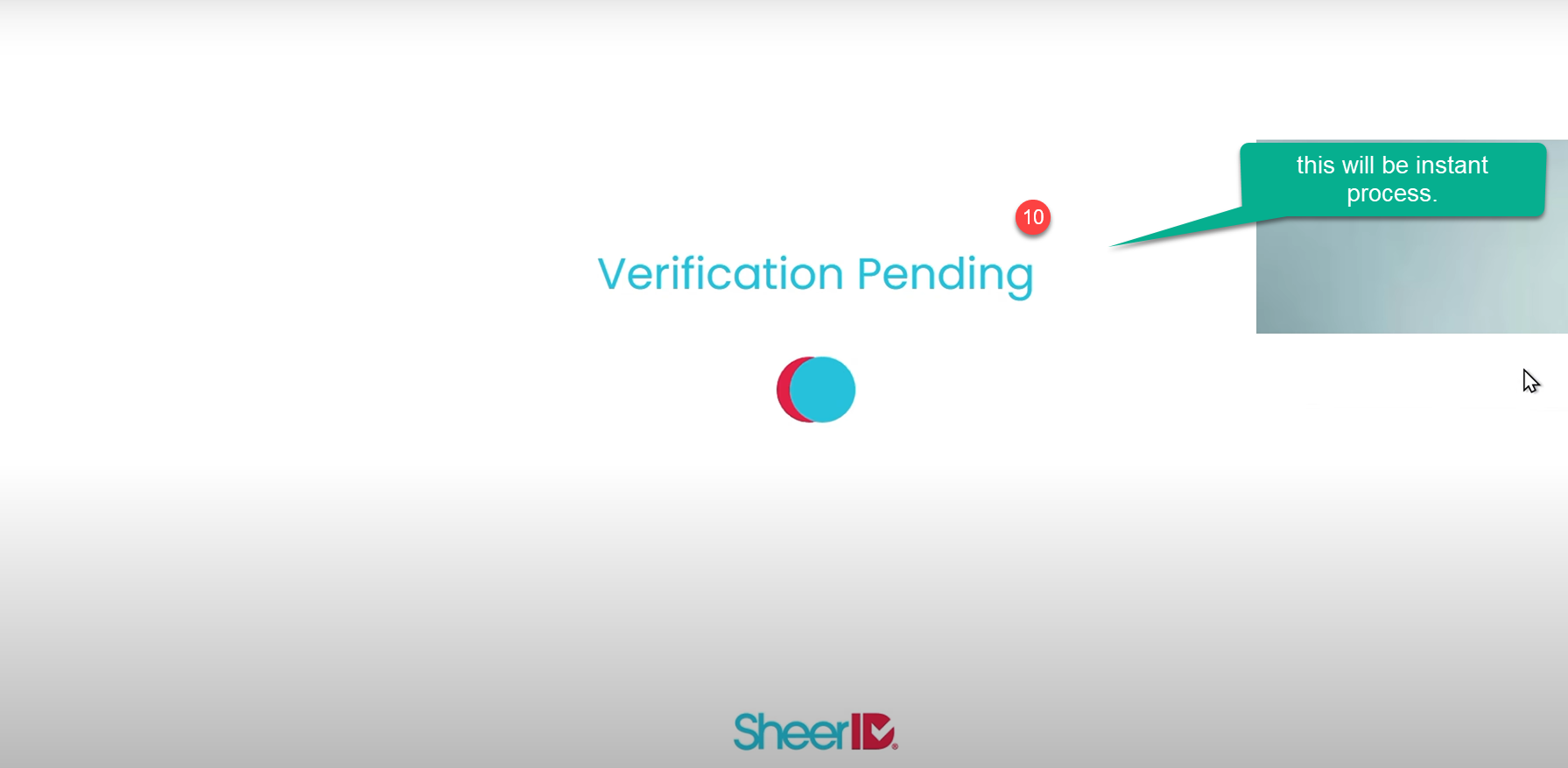
- The process will connect to SheerID to confirm your student status.
- Follow the on-screen instructions. Verification Pending Once submitted, you’ll see a Verification Pending screen. This is usually an instant process.
https://gemini.google/students/
Step 7: Activate Google AI Pro
-
Once verified, you’ll see a confirmation screen.
-
Click the Get Google AI Pro button to activate your 1-year subscription at no cost.
https://gemini.google/students/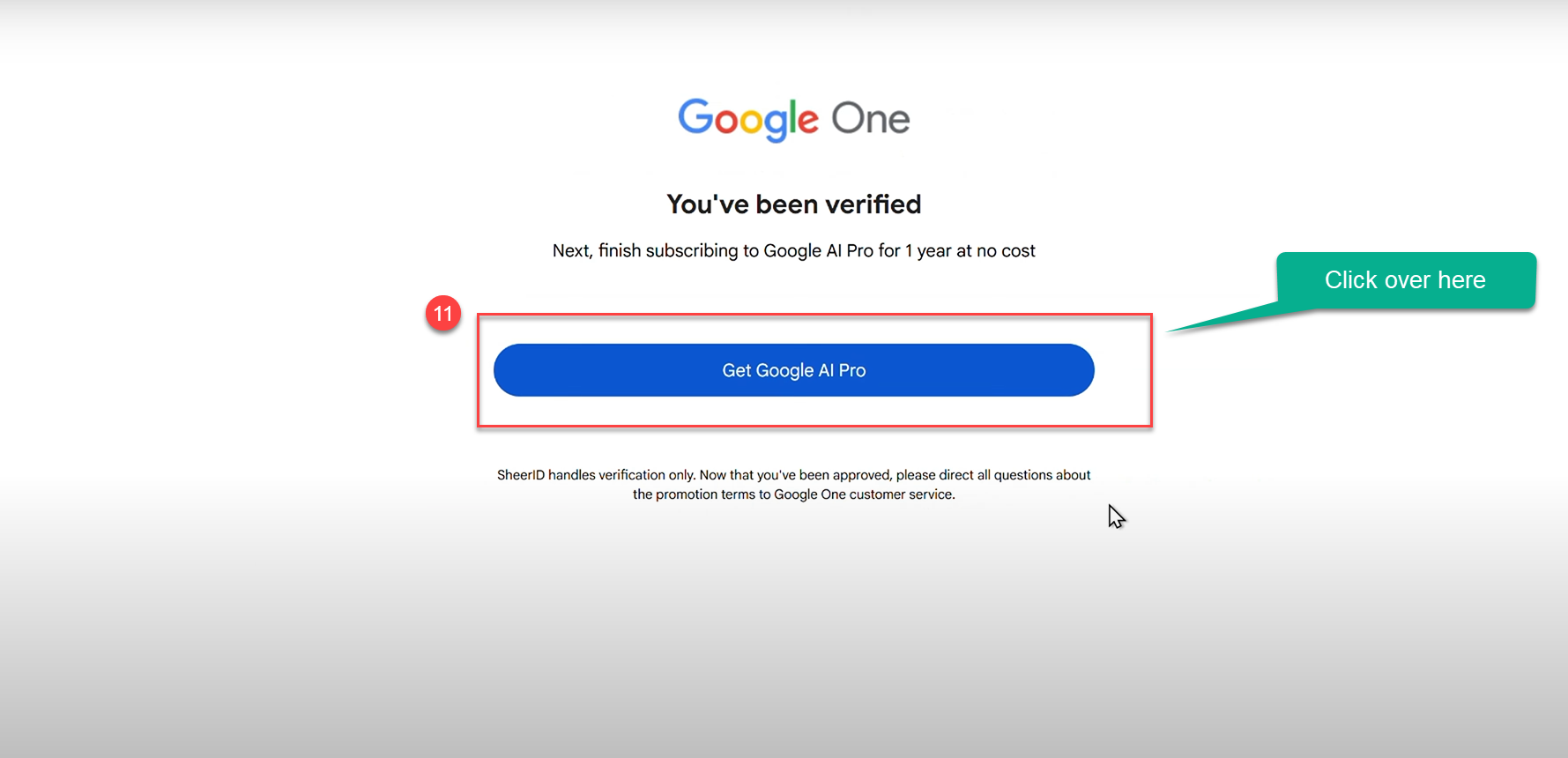
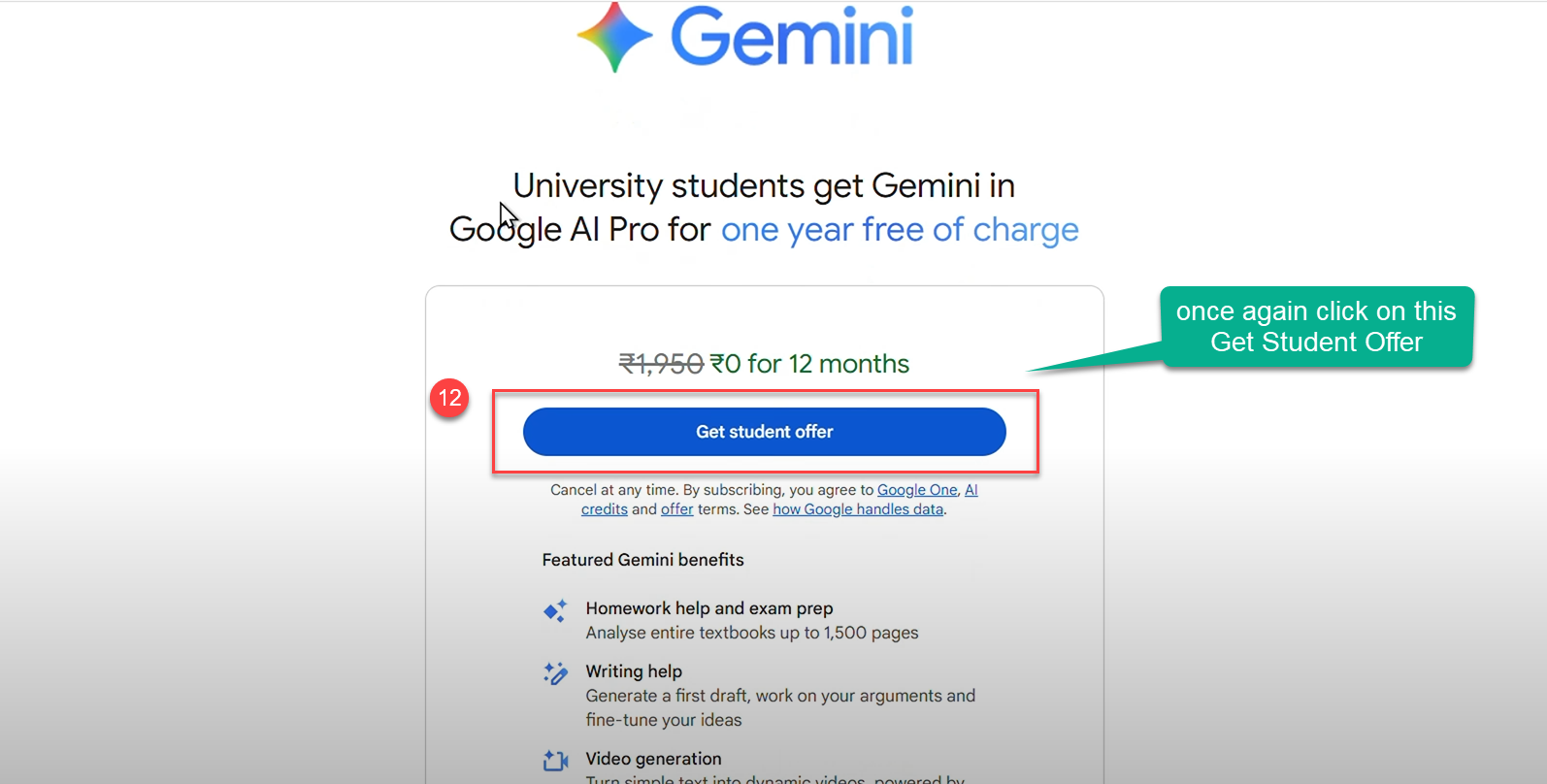
Step 7: This screen appear again to get the student offer, dont get confuse, this is the last stage of verification.
Step 8: Select your payment method Choose one of the available options
(e.g., Add card, Redeem code, Pay on your phone, or Pay with UPI in supported regions).
I suggest to use UPI ID as many of you have the UPI account rather than a credit card.

Step 9: Now verify all the details over there, like the pricing and payment method, in the next step you will be using this.
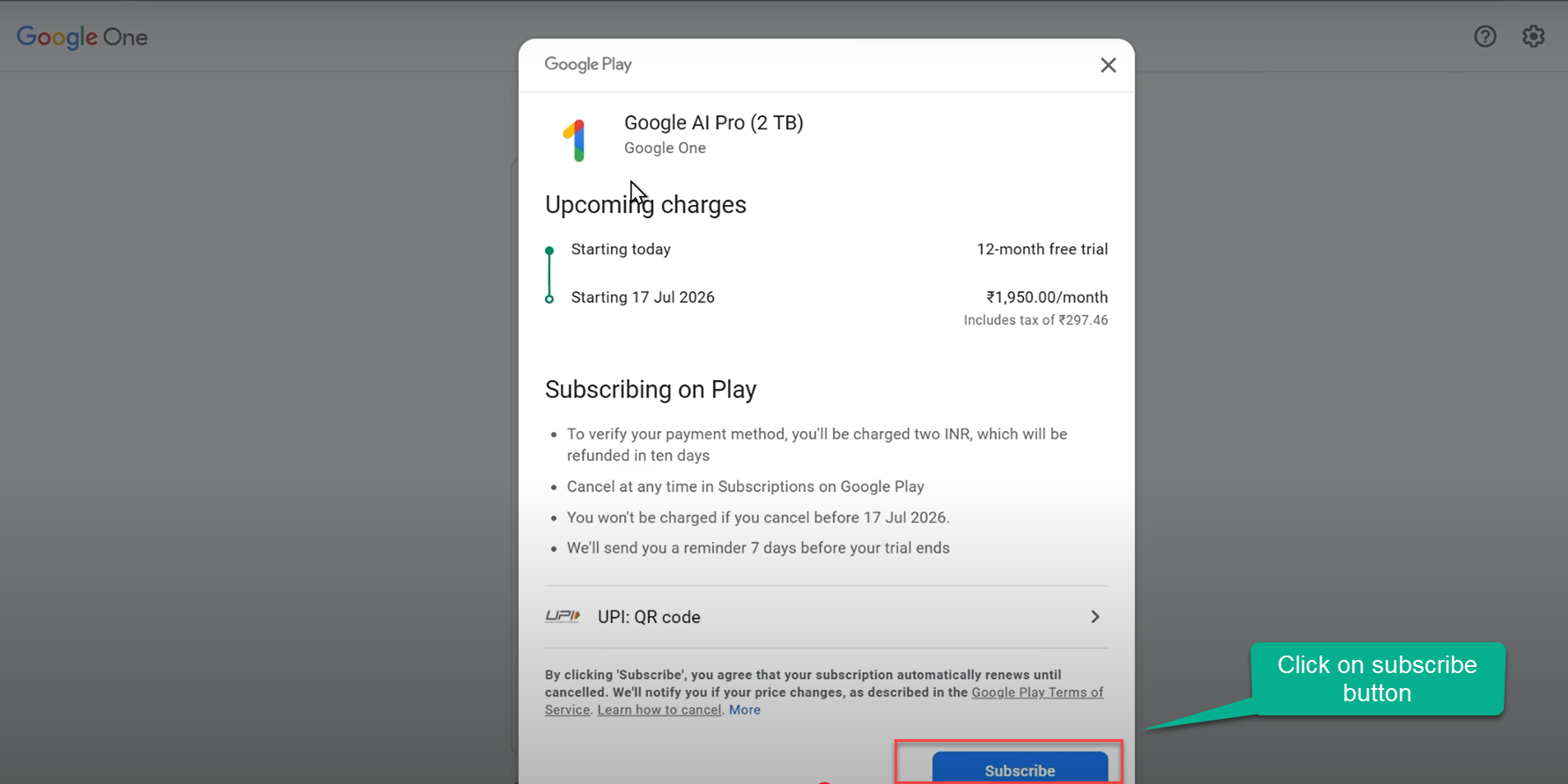
Step 10: Adding Card or Payment Method
This step shows how to finish the UPI verification for the Google One / Gemini student offer. You are only authorizing an AutoPay mandate here; no money is taken at this point.
1. On Your Computer
- You will see a panel titled "Scan QR code to use UPI".
- The merchant will display as Google One with a short timer (usually ~5 minutes).
- Do not close this panel.
- If the timer expires, refresh or regenerate the QR code and try again.
2. On Your Phone
-
Open your preferred UPI app (e.g., Google Pay, PhonePe, Paytm, BHIM).
-
Tap the app’s Scan feature.
-
Point your phone’s camera at the QR code shown on your computer screen.
-
When recognized, your app will display a request to set up/approve UPI AutoPay for Google One.
-
Review the details:
- Merchant should be Google One.
- You are authorizing the mandate — you won’t be charged now.
-
Tap Approve, Authorize, or Confirm (wording varies by app).
-
Enter your UPI PIN if prompted.
https://gemini.google/students/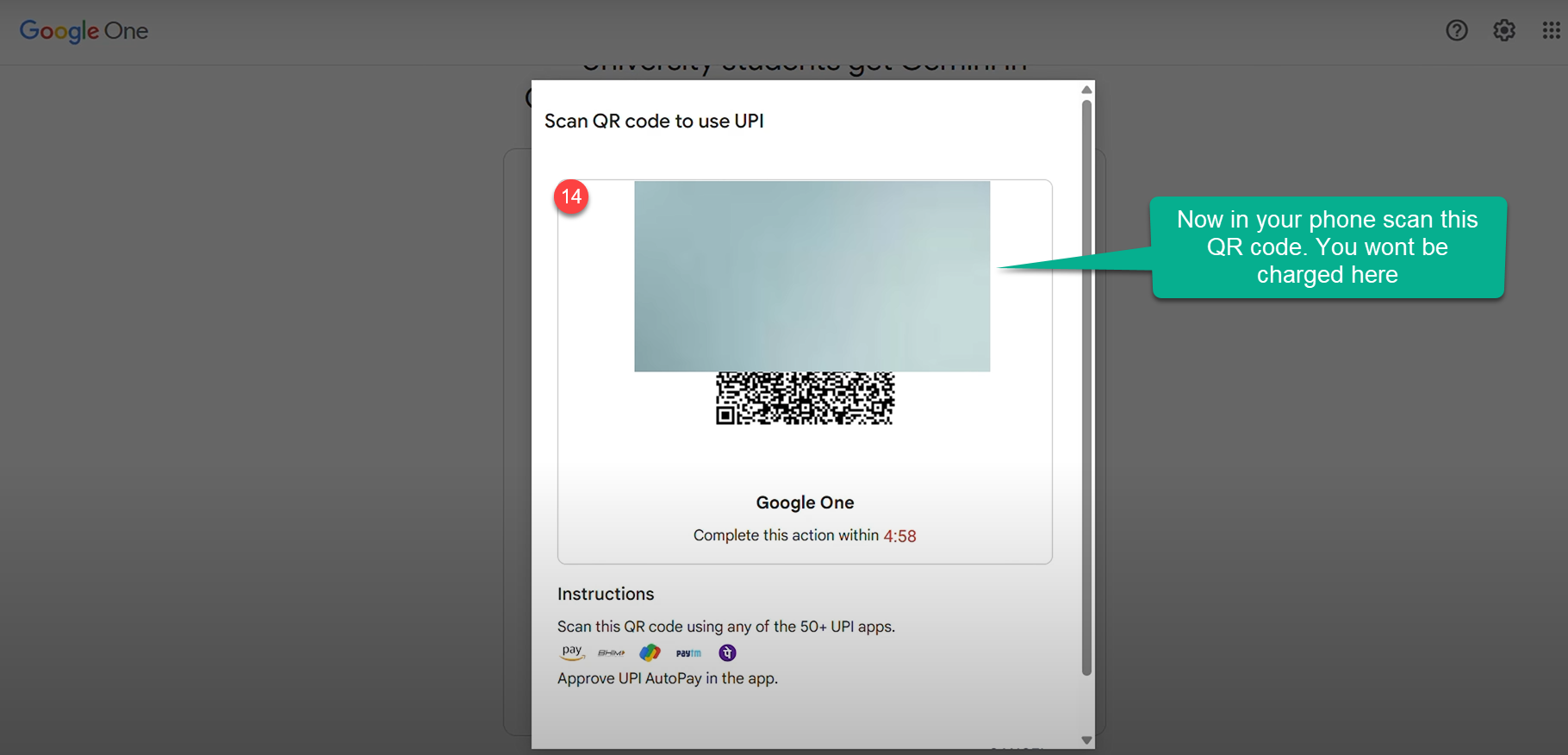
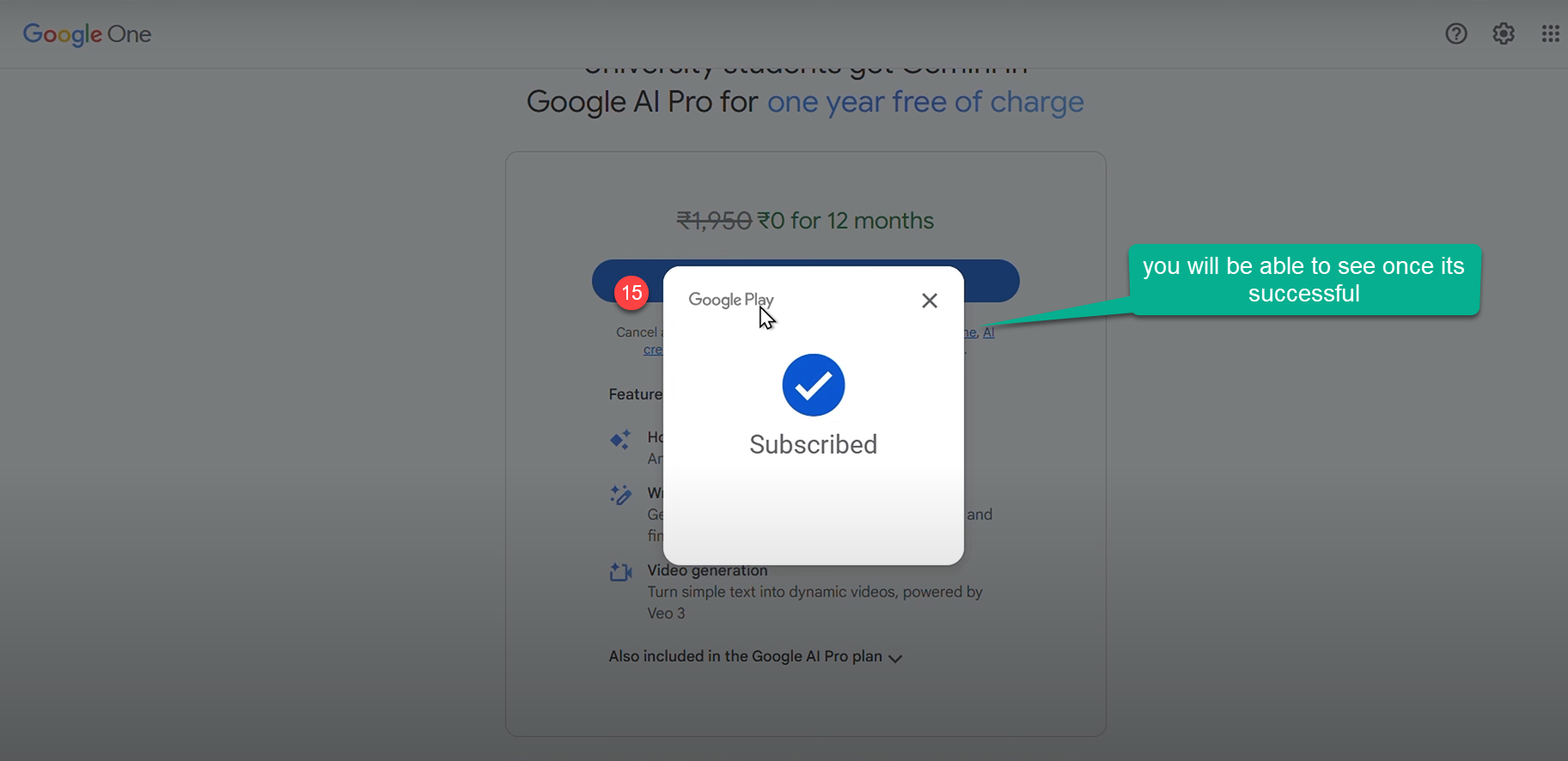
Step 11: Once the payment method is successful you will be able to see the screen of subscribed.
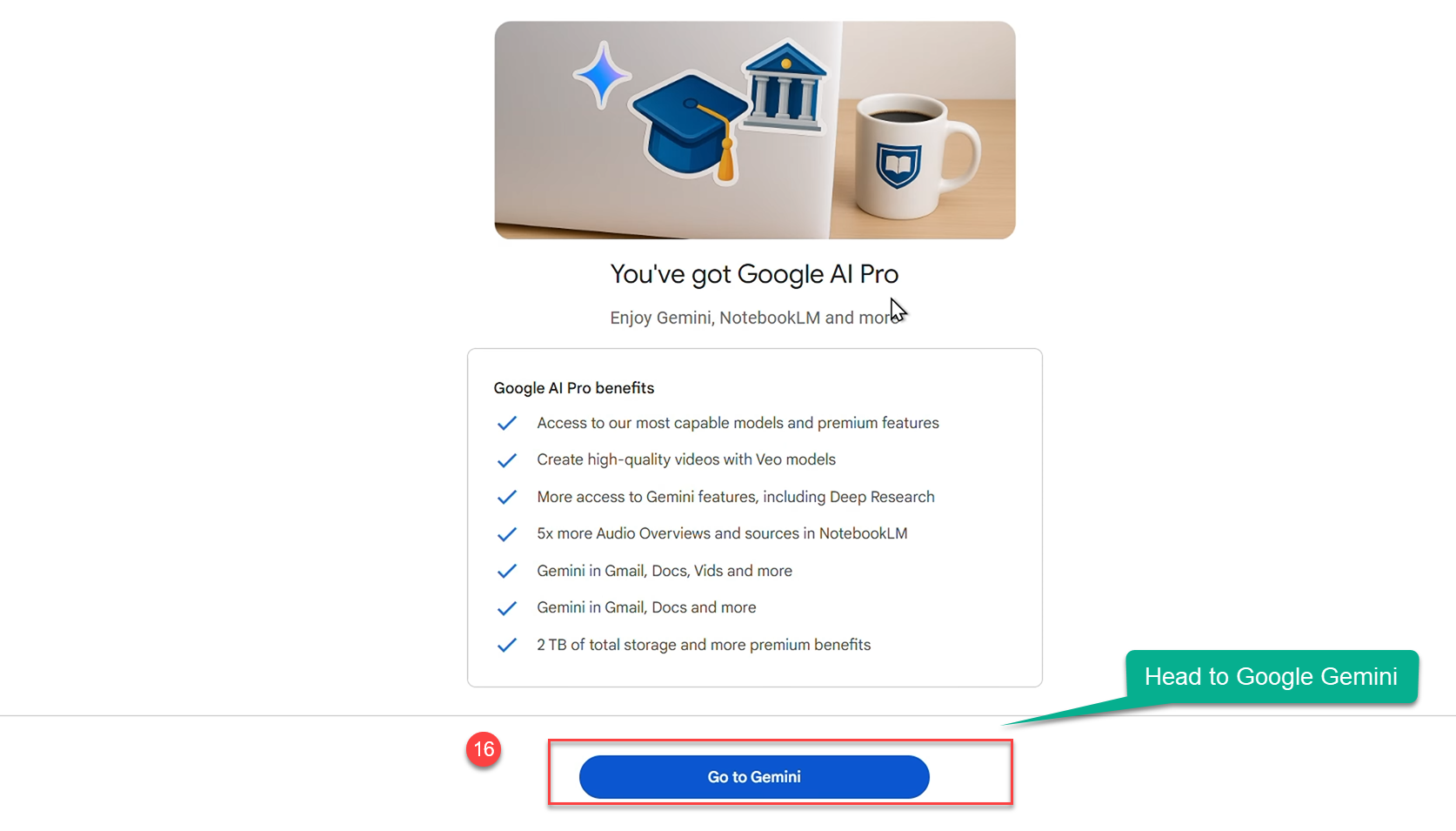
Step 12: Enjoy Gemini, NotebookLM, and more with Google AI Pro.
Benefits
✅ Access to our most capable models and premium features
✅ Create high-quality videos with Veo models
✅ More access to Gemini features, including Deep Research
✅ 5× more Audio Overviews and sources in NotebookLM
✅ Gemini in Gmail, Docs, and more
✅ 2 TB of total storage and additional premium benefits
What to do if your School is not available in the list
Step 13: Make sure you type the others in School, if you confused where you got this screen refer to step 3

Step 14: You manually add your school details over here to verify.

Tips & Troubleshooting
-
If the student verification fails, retry with your official university email and ensure your institution is supported.
-
If you don’t see UPI, pick any listed method available in your country/region.
-
You can change or remove your payment method later from pay.google.com.
-
Always review the offer’s renewal date and pricing shown during signup.
-
Never try to log in or redeem multiple times, it will show the below screen.
https://gemini.google/students/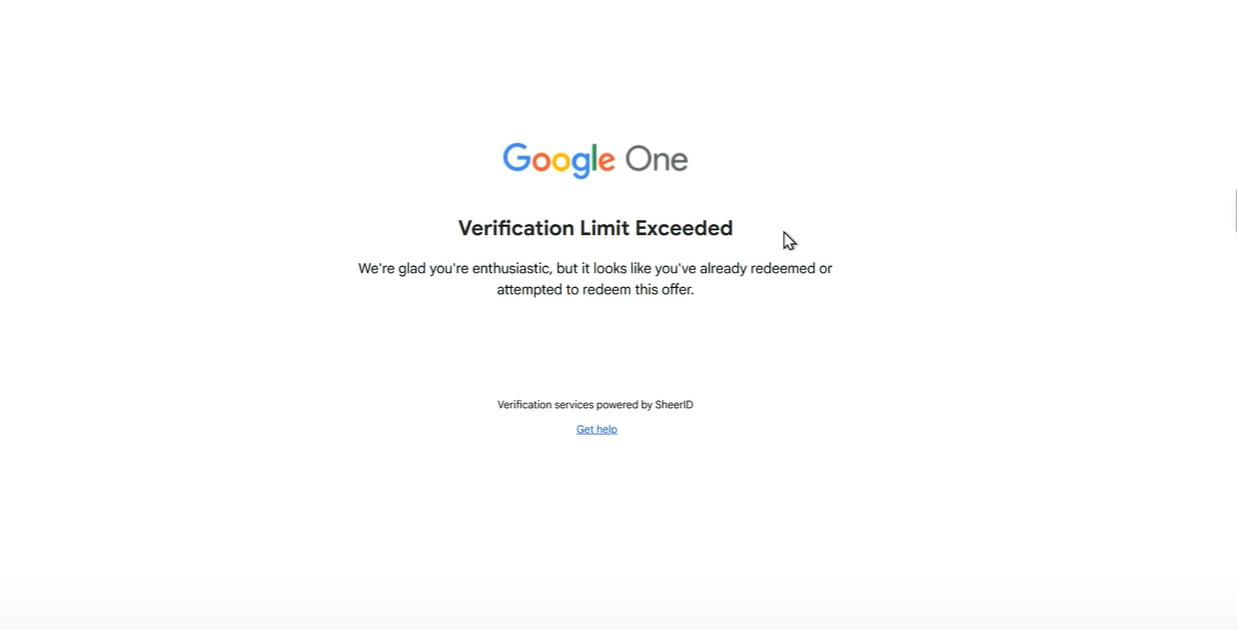
Support
If you need any support on any issue regarding signing up comment in the comment box below, will reply you asap.
Conclusion
The free one-year Google Gemini AI Pro Plan offer equips Indian students with next-gen AI-powered academic and creative tools alongside massive cloud storage. The program's fair eligibility, comprehensive features, and user-friendly onboarding position students for success both now and in a future driven by AI and digital skills.
Feel free to share this offer with your peers to maximize its impact!
🔗 Resources & Links
-
🌐 Full Details: Google Student Ambassador
-
📝 To Register: Google Gemini CA Registration
-
⚙️ Official Site: AI Skills House